For B2B tech companies, prospecting on LinkedIn isn't just an option—it’s how you find, connect with, and actually talk to the people who can buy your product. It has become the most direct path to building a predictable sales pipeline, putting you right in front of key decision-makers where they’re already talking business.
Why LinkedIn Is Your Most Powerful B2B Prospecting Tool
Let's cut right to it. For B2B tech, LinkedIn is the main event. Before we dive into the "how," you need to fully buy into the "why." This isn't just about having a company page; it's about mastering a platform where your ideal customers are actively looking for solutions and professional insights.
Other platforms are built for casual scrolling. LinkedIn is designed for business. That professional context is its superpower. Every move you make—from a connection request to a shared article—lands in a business-first environment. This makes your outreach feel relevant and expected, not like a random interruption.
The Data Speaks for Itself
The numbers backing LinkedIn’s effectiveness are impossible to ignore. When it comes to B2B lead generation, LinkedIn is in a league of its own, driving a staggering 75–85% of all B2B leads from social media.
But for a startup, it's the quality of those leads that really matters. LinkedIn's visitor-to-lead conversion rate is an impressive 2.74%. That’s 3–4 times higher than what you’d see from Facebook (0.77%) or Twitter (0.69%).
This isn't a fluke. It's the direct result of the platform's incredibly rich data and professional focus. You can slice and dice the entire business world to target prospects with surgical precision based on:
- Job Title and Seniority: Go straight to the VPs and Directors.
- Company Size and Industry: Make sure you're a perfect fit from the get-go.
- Recent Activity: Spot buying signals like new hires or company growth announcements.
The real power of LinkedIn isn't just its massive user base; it's the unparalleled access to professional data. You can filter the entire business world to find the exact people who need your solution, right now.
More Than Just a Database
Ultimately, a strong B2B social media strategy has to be built on a foundation that gets results, and LinkedIn delivers. It lets you build genuine rapport before you ever make a pitch. For a deeper look at the mechanics, there are some great resources covering LinkedIn lead generation strategies from start to finish.
This approach turns cold outreach into warm conversations, making it a non-negotiable cornerstone for any startup aiming for predictable, scalable growth.
Building a Profile That Opens Doors
Before you send a single connection request, your LinkedIn profile needs to do the heavy lifting for you. Too many founders dive straight into outreach with a profile that's basically just a resume, then get frustrated when their messages are ignored.
Think of your profile as the landing page for every prospecting effort. It has one job: build instant trust and speak directly to your ideal customer.
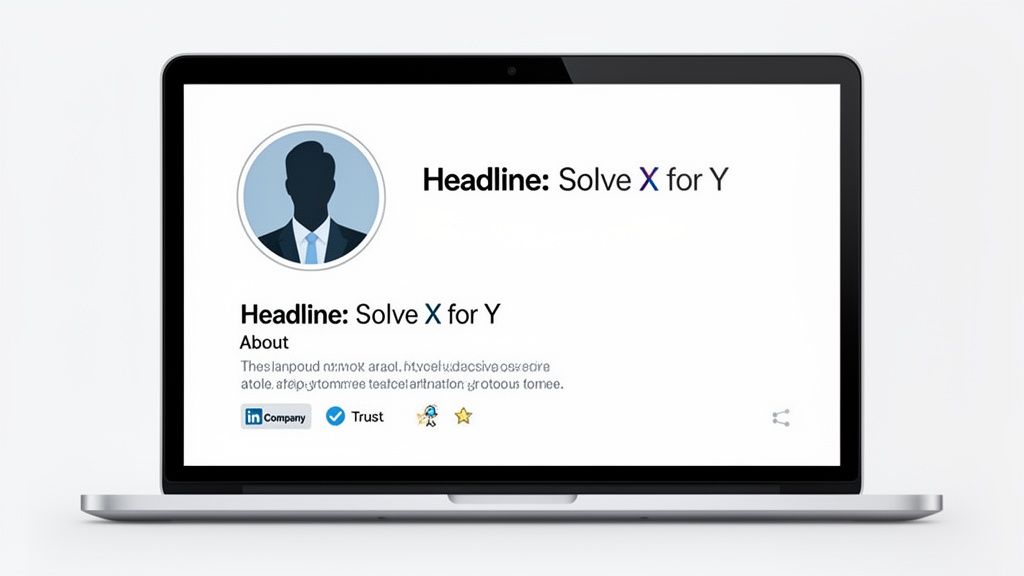
This isn’t just a nice-to-have. It’s fundamental. Roughly 82% of B2B buyers will check out your LinkedIn profile before they even think about taking a meeting, according to data from Cognism.com. That means for every message you send, your prospect is judging your credibility based on what they find.
Your goal is to shift your profile from a resume into a resource. It needs to immediately answer your prospect's unspoken question: "What's in it for me?"
First, Get Laser-Focused on Your Ideal Customer Profile
You can't build a compelling profile if you don't know who you're talking to. Trying to appeal to everyone means you'll resonate with no one. This is where a razor-sharp Ideal Customer Profile (ICP) becomes your most critical asset for LinkedIn prospecting.
An ICP isn't some vague idea of who might buy your product. It’s a detailed blueprint of the perfect customer for your B2B tech solution. This clarity lets you craft every part of your profile—from your headline to your content—to pull in the right people and push away the wrong ones.
The table below is a simple framework to help you translate your ICP into actionable LinkedIn search criteria. Think of it as your cheat sheet for finding the right people.
ICP Definition Worksheet for LinkedIn Prospecting
| ICP Attribute | Specific Definition | LinkedIn Search Filter to Use |
|---|---|---|
| Industry | We solve problems for SaaS and FinTech companies. | Industry: "Computer Software," "Financial Services" |
| Company Size | Our solution works best for companies with 50-200 employees. | Company size: "51-200 employees" |
| Geography | We primarily serve customers in the United States and Canada. | Geography: "United States," "Canada" |
| Key Job Title | The decision-maker is usually the VP of Engineering or CTO. | Title: "Vice President of Engineering," "Chief Technology Officer" |
| Key Pain Point | They struggle with managing tech debt and slow development cycles. | Keywords (in posts/articles): "tech debt," "developer productivity" |
| Technology Used | They often use AWS, Kubernetes, and GitHub. | Keywords (in profile/posts): "AWS," "Kubernetes" |
Use this worksheet to get specific. The more dialed-in your ICP, the easier it will be to not only find the right prospects but also to craft a profile that speaks their language.
Your profile is your silent salesperson. It should be optimized to answer your ideal customer's biggest questions and address their most pressing pain points before you ever send a message.
Optimizing Your Profile for Maximum Impact
With a crystal-clear ICP, you can now turn your profile into a client-attracting magnet. Every section is a chance to reinforce your value and build authority. Let’s break down the most important parts.
Your Headline Is Your Billboard
Your headline is the most valuable real estate on your entire profile. Don't waste it with just your job title. Use a simple, powerful formula: "I help [Your ICP] achieve [Their Goal] by [Your Solution]."
- Bad Example: Founder & CEO at TechCo
- Good Example: Helping B2B SaaS Founders Reduce Churn with AI-Powered Onboarding Solutions
The second one immediately tells your target audience you understand their world and have something valuable to offer. It’s a hook, not just a title.
The About Section Is Your Story
This section isn't your life story; it's about your prospect's story. Structure it to walk them from their current problem to your solution. For a complete guide on optimizing your LinkedIn profile for lead generation, this post breaks it down step-by-step.
Start with a hook that hits their main pain point. Then, briefly explain how you solve it, offer some proof (like key results or a mini case study), and end with a clear, low-friction call to action.
Finding Your Ideal Customers with Advanced Search
Once your profile is a magnet for your Ideal Customer Profile, the real hunt begins. The magic of prospecting with LinkedIn isn't just having a massive database at your fingertips; it's about finding the right handful of people who are actually ready to listen. This is where you shift from passively waiting to proactively building your pipeline.
Let's be honest, the standard LinkedIn search bar will only get you so far. To find the real gems, you need to go deeper. That means mastering advanced search—first with the free tools you already have, then leveling up to the powerhouse that is Sales Navigator.
Unlocking the Power of Boolean Search
Before you even think about paying for a premium tool, you need to master Boolean search. It’s a simple but incredibly effective way to refine your searches on the free LinkedIn platform, using a few key commands to get hyper-specific results.
Think of it as giving LinkedIn very precise instructions instead of a vague request.
- Quotes (""): Use these to search for an exact phrase. For example,
"VP of Marketing"finds people with that exact title, not just profiles with "VP" and "Marketing" scattered around. - AND: This narrows your search by making sure all terms are included. A search for
"SaaS" AND "Founder"will only show you founders who work in the SaaS world. - OR: This broadens your search to catch multiple variations. A search like
"CTO" OR "Chief Technology Officer"helps you find the right role, no matter how they’ve written it. - NOT: This is for exclusion.
"Marketing Manager" NOT "Assistant"instantly filters out more junior roles, cleaning up your results.
The real power comes from stringing these together. A query like ("VP of Sales" OR "Head of Sales") AND "FinTech" NOT "Intern" can produce a high-quality list of decision-makers in your target industry. It’s a foundational skill for anyone serious about prospecting on LinkedIn.
Graduating to Sales Navigator for Precision Targeting
While Boolean search is great, Sales Navigator is the game-changer. It turns LinkedIn into a dedicated prospecting machine, giving you access to filters and insights you just can't get with the free version. The moment you decide to get serious about LinkedIn outreach, Sales Nav becomes a non-negotiable part of your toolkit.
This is where you can start layering filters to pinpoint your ideal prospects with incredible accuracy.
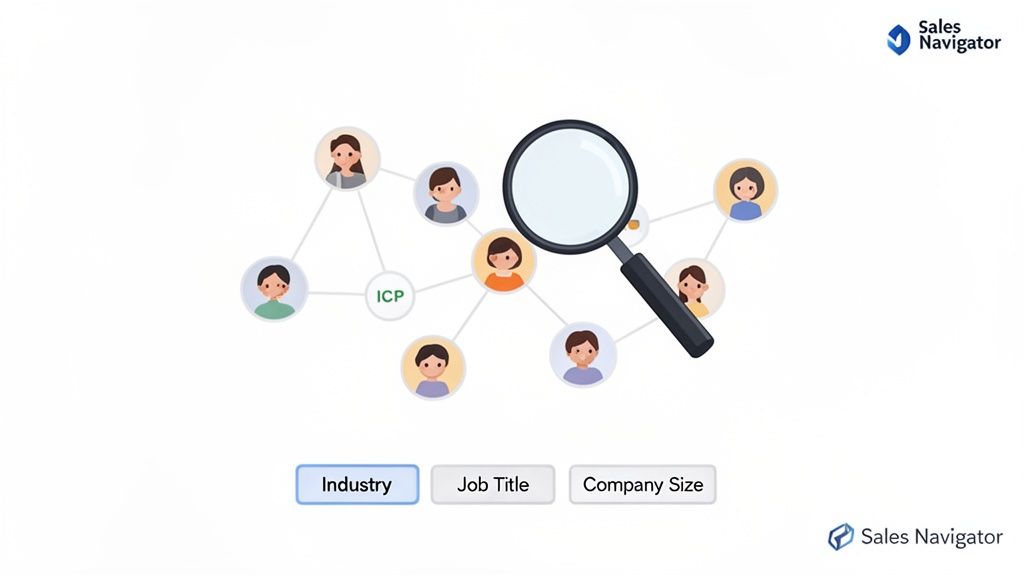
This dashboard goes way beyond basic job titles. It lets you find prospects based on specific, timely buying signals.
One of the most powerful features is "Spotlights." This filter instantly surfaces people who are more likely to be receptive to your outreach. You can find prospects who have:
- Changed jobs in the last 90 days: A new leader often has the budget and mandate to bring in new solutions. This is a golden opportunity.
- Been mentioned in the news recently: This gives you a perfect, non-generic reason to start a conversation.
- Posted on LinkedIn in the last 30 days: Active users are far more likely to see and respond to your messages. Plain and simple.
Sales Navigator transforms your search from a static query into a dynamic lead-generation engine. It helps you find the right person at the right time by focusing on buying signals, not just job titles.
Beyond Spotlights, you can build hyper-targeted lead lists based on company-level data, like recent funding rounds, headcount growth, or even the specific technologies they use. This is where having a crystal-clear ICP becomes critical. If you haven't nailed yours down yet, our https://valuecmo.com/ideal-customer-profile-template/ can help you align your search criteria with your actual business goals.
By combining these advanced filters, you can create saved searches that act like automated lead streams. Set up alerts for your ICP, and LinkedIn will notify you whenever a new person fits your criteria. This turns prospecting from a manual, time-sucking task into an efficient process that constantly feeds your pipeline with qualified leads.
Writing Outreach Messages That People Actually Reply To
This is the moment of truth. You can nail your profile, build the perfect prospect list, and still fall flat if your first message feels generic or self-serving. This is where the pros separate themselves from the noise.
First things first: ditch the "spray and pray" mentality for good. Your goal isn't just to get your message seen; it's to start a real conversation. That means every single touchpoint, from the initial connection request to the last follow-up, has to be about them, not you.
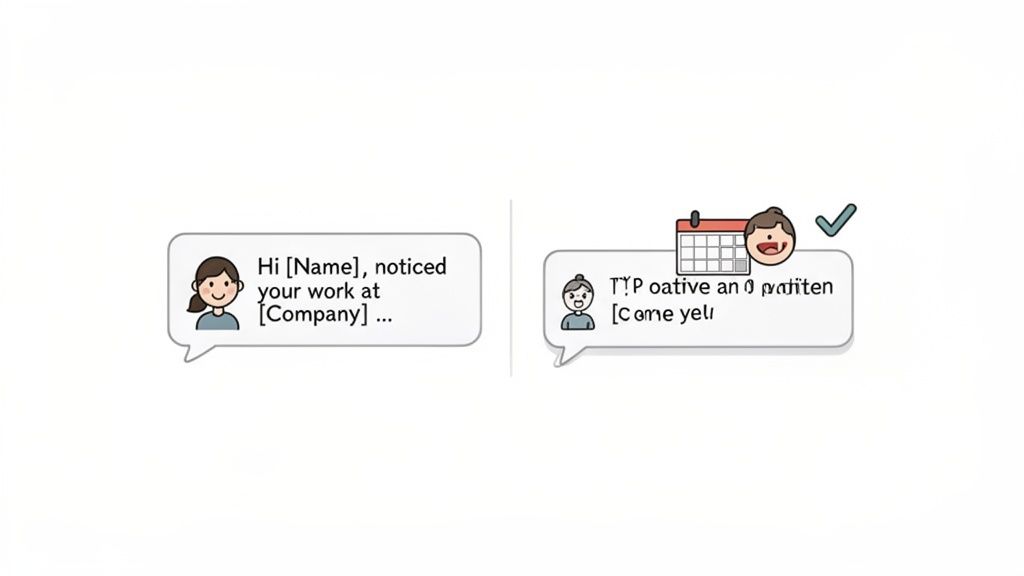
This human-first approach is incredibly effective on LinkedIn. In fact, research shows that a well-crafted LinkedIn message can hit a 48% reply rate, completely blowing the typical 6% reply rate for cold email out of the water. That makes your LinkedIn messages roughly 8 times more effective for starting a dialogue. You can dig into more of these LinkedIn prospecting insights on Smarte.pro.
The Anatomy Of A High-Converting Connection Request
Think of your connection request as the first knock on the door. Sending the default "I'd like to connect with you on LinkedIn" is a massive wasted opportunity. Your note needs to be short, relevant, and give them a compelling reason to say yes.
You’ve got 300 characters to make an impression. Don't sell. Just show you did your homework.
- Mention a mutual connection: "Hi [Name], I saw we both know [Mutual Connection's Name]. Always looking to connect with other leaders in the FinTech space."
- Reference their recent activity: "Hi [Name], really enjoyed your post on developer productivity. Your point about managing tech debt is something our team talks about a lot."
- Note a shared group or interest: "Hi [Name], noticed we're both in the 'SaaS Growth Hacks' group. Reaching out to connect with fellow members focused on scaling."
The goal is simple: find a tiny piece of common ground. You're not asking for a meeting, just a connection with a peer.
Crafting Follow-Up Messages That Build Rapport
Once they accept, the real work begins. The absolute worst thing you can do is jump straight into a pitch. You just started building a sliver of trust—don't break it. Instead, your follow-ups should continue the conversation by offering value before you ask for anything.
This is where a multi-touch sequence shines. It’s not about spamming them with the same message. It's about respectfully layering different types of value to stay on their radar.
Your outreach sequence should feel less like a sales cadence and more like a series of helpful nudges. The goal is to earn the right to ask for a meeting, not demand it on day one.
Here’s a simple, non-salesy sequence you can adapt. I’ve found this structure works well when trying to connect with a busy exec, like a VP of Engineering at a B2B SaaS company.
3-Touch LinkedIn Outreach Sequence Example
| Touchpoint | Channel | Message Focus & Goal |
|---|---|---|
| Touch 1 (Day 2) | LinkedIn Message | Gentle Follow-Up. Thank them for connecting and mention something specific from their profile. Goal: A simple, no-ask acknowledgment. |
| Touch 2 (Day 5) | LinkedIn Message | Value-Add. Share a relevant, no-strings-attached resource (e.g., a short guide, an article). Goal: Provide genuine value and build credibility. |
| Touch 3 (Day 9) | LinkedIn Message | The Soft Ask. Connect the value you shared to a potential challenge they face, then propose a brief, low-friction chat. Goal: Make a relevant ask for time. |
This approach respects their intelligence and their calendar. You're guiding them toward a conversation by proving you understand their world first. This kind of thoughtful persistence is what prospecting with LinkedIn is all about, and it's what ultimately opens the door to real business discussions.
How to Scale Your Outreach Without Getting Banned
Once you've nailed an outreach sequence that gets replies, doing it all by hand becomes a massive bottleneck. The urge to automate everything is real, but going all-in without a plan is the fastest way to get your LinkedIn account slapped with a restriction or, worse, shut down completely.
The real key is to scale your prospecting with LinkedIn by offloading the right tasks to technology while keeping a human in the driver's seat. You’re the pilot using autopilot for the long, boring stretches—not a passenger hoping the plane lands itself.
Smart Automation vs. Risky Automation
Let's be clear: not all automation is the same. Some tasks are low-risk time-savers, while others will get you flagged by LinkedIn's algorithm in a heartbeat. The platform is always hunting for bot-like activity, so your goal is to make your tools mimic natural human behavior.
Here’s a simple breakdown of what’s generally safe versus what’s asking for trouble:
-
Safe to Automate (With Guardrails):
- Profile Views: Viewing hundreds of profiles from a target list is a great way to generate inbound connection requests and warm up your outreach before you even send a message.
- Data Enrichment: Using tools to find verified email addresses or phone numbers for prospects you’ve already pinpointed on LinkedIn.
- Following Companies: Automatically following your target accounts is an easy way to stay on top of their news and find relevant conversation starters.
-
Requires a Human Touch (Non-Negotiable):
- Personalized Connection Requests: This is your first impression. A generic, automated request screams "spam" to both the prospect and LinkedIn.
- First Follow-Up Messages: Your initial message needs to be tailored. Reference their profile, a shared interest, or a recent post to show you've done your homework.
- Engaging with Content: You can't automate genuine, insightful comments. Context is everything, and bots just don't have it.
The golden rule is simple: if a human can easily tell it’s a bot, so can LinkedIn. Use tools that assist your workflow, not replace your judgment.
Staying Under the Radar
Using third-party tools always carries some risk, but you can manage it by acting like a human. LinkedIn’s biggest concern is a bad user experience. As long as you aren’t spamming people with irrelevant garbage, you’re mostly on the right track. For any startup looking to scale marketing, it pays to learn how to implement marketing automation with a clear, strategic framework.
Here are the non-negotiable rules for playing it safe:
- Respect Daily Limits: Don't jump from sending 5 connection requests a day to 100 overnight. That's an instant red flag. Ramp up activity gradually. A good ceiling to aim for is 80-100 connection requests per week.
- Randomize Your Activity: People aren't robots. Your automation should send messages and view profiles at varied, natural intervals—not at 9:05 AM on the dot every single day.
- Warm Up Your Account: If your LinkedIn profile is new or you haven't been active, don't even think about automation. Spend a few weeks connecting and engaging manually to build a history of normal activity.
Track the Right KPIs to Stay on Course
Finally, scaling isn't just about volume; it's about getting better results from your effort. If you aren’t tracking the right numbers, you're flying blind.
Forget vanity metrics. Focus on the three that actually matter:
- Connection Acceptance Rate: A high rate (think above 30%) is proof that your targeting is sharp and your connection notes are hitting the mark. If it's low, either your ICP is wrong or your message is.
- Reply Rate: This is the big one. Are people actually responding? A healthy reply rate of 15-25% or higher means your follow-up messages are compelling enough to start a conversation.
- Positive Reply Rate: Dig a level deeper. How many of those replies are "Thanks, let's talk" versus "Not interested"? This metric tells you the true quality of the leads you're generating.
Your First 90 Days of LinkedIn Prospecting
Reading about a strategy is one thing. Actually putting it to work is something else entirely. This is where we take everything we've talked about and turn it into a practical, repeatable roadmap for prospecting with LinkedIn.
Think of this 90-day plan as the playbook for turning theory into a real system.
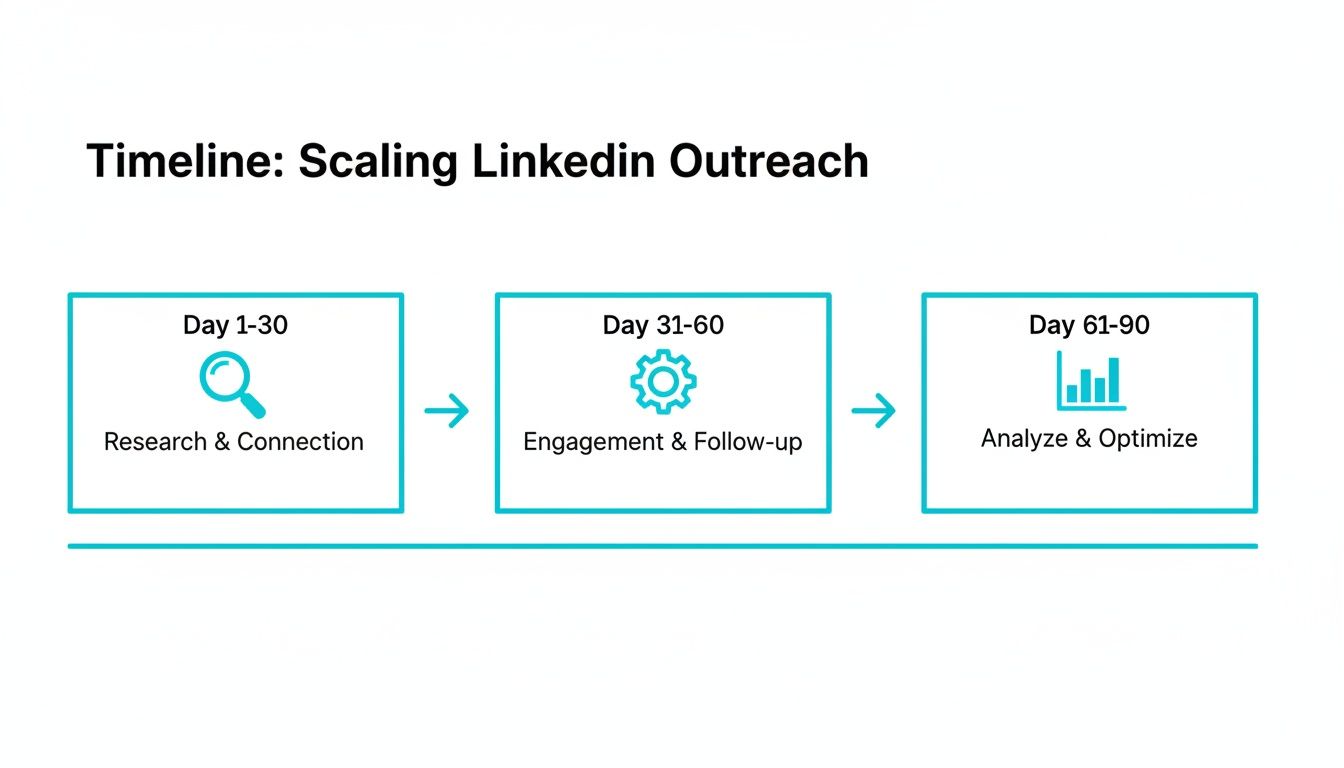
The key here is that each phase builds on the last. This isn't about rushing into tactics that might not work; it's about scaling thoughtfully, step-by-step.
Days 1-30: Foundation and Testing
The first month is all about getting the fundamentals right. This is the step most founders rush, and it's the biggest mistake they make. Your entire lead gen engine depends on getting this foundation solid.
Here are your primary goals for this phase:
- Finalize Your ICP: Go way beyond just job titles. You need to lock in the pain points, goals, and buying triggers of the exact person you’re trying to reach.
- Optimize Your Profile: Your personal profile needs to stop being a resume and start being a resource. Tweak your headline, ‘About’ section, and featured content so it speaks directly to that ICP and builds instant credibility.
- Run Manual Tests: Start small and smart. Send 20-30 highly personalized connection requests and follow-ups each week. Track your acceptance and reply rates in a simple spreadsheet to see what messaging actually resonates.
This initial phase is pure R&D. You aren't trying to book 50 meetings. You're trying to find one repeatable message that works.
Days 31-60: Scaling and Refining
You've got some early data on what works. Now it’s time to add a little fuel to the fire. This month is about increasing your volume without letting quality slip. This is where you bring in the right tools and systems to do more, faster.
Your focus shifts to:
- Mastering Sales Navigator: It’s time to move past basic search. Build saved lead lists based on Spotlights—like recent job changes or company growth signals—that tell you when to reach out.
- Refining Your Messaging: Using the data from month one, build out a simple 3-to-4 touchpoint sequence. Start testing different value-adds, like sharing a mini case study or a genuinely helpful article.
- Exploring Safe Automation: This is the time to carefully test a tool for low-risk tasks, like profile views. But keep your connection requests and first messages manual and personalized. Don't automate the human element.
Days 61-90: Systematize and Integrate
The final 30 days are about turning your successful process into a true system. You’re moving from an ad-hoc activity to a core, predictable part of your sales engine.
Your milestones for this last push include:
- Analyzing Metrics: Go beyond basic tracking. Start analyzing your positive reply rate and meeting booked rate to understand the real ROI of your effort.
- Building a Playbook: Document everything. Your winning templates, your sharpest ICP criteria, and your most effective outreach sequences all go into a playbook. This makes it easy to delegate or train new team members later on.
- Integrating with Your CRM: This closes the loop. Make sure the leads you generate on LinkedIn are flowing directly into your main sales pipeline for proper tracking and follow-up.
Common LinkedIn Prospecting Questions
Even with a solid playbook for prospecting on LinkedIn, you're going to have questions. It's just part of the process. Here are some of the most common ones I hear from B2B founders, answered directly so you can clear those final hurdles.
How Many Connection Requests Should I Send Per Day?
Consistency always beats volume. If you go from zero to one hundred overnight, you’re practically screaming "spam" to LinkedIn’s algorithm. It’s a huge red flag.
Start slow and build up your activity gradually. A safe, sustainable pace is around 15-20 personalized connection requests per day. This keeps you well under the unofficial weekly limit (which is about 100) and stops your account from getting flagged.
Remember, the goal is quality conversations, not just a massive connection count.
Should I Use LinkedIn InMail for Prospecting?
Think of InMail as a last resort, not your opening move. The best time to use it is when you have a super compelling, time-sensitive reason to contact someone outside your network and you just can't find a path for a warmer introduction.
If you do go the InMail route, the message needs to be incredibly short and ultra-specific to that person. Lead with a clear, valuable offer. But honestly? Regular connection requests and messages almost always perform better because they feel less like a cold ad showing up in their inbox.
Your best prospecting tool isn't a premium feature; it's genuine relevance. A well-researched connection request will outperform a generic InMail message nine times out of ten.
Is It Okay to Use Humor or GIFs in My Outreach?
Yes, but with one massive caveat: timing is everything.
Humor, memes, or GIFs should never be in your first message or connection request. Ever. That’s your one shot to establish professional credibility. Don't waste it.
Where they can be incredibly effective is in a second or third follow-up when you're getting radio silence. A lighthearted, relevant GIF can act as a "pattern interrupt"—it breaks through the noise and shows there’s a real person behind the keyboard. Sometimes, that's all it takes to get a reply. Just use this trick sparingly and know your audience.
What's the Best Way to Follow Up Without Being Annoying?
The line between persistence and pestering is drawn with value. A bad follow-up is just a lazy "Hey, bumping this to the top of your inbox." A good follow-up offers something new.
Here are a few ways to add value with every touchpoint:
- Share a relevant article or a quick insight related to something they recently posted.
- Offer a no-strings-attached resource, like a helpful checklist or a short, ungated guide.
- Use a gentle nudge that gives them an easy out, like, "Circling back in case this slipped through. Happy to close the loop if it's not a priority right now."
This approach respects their time and keeps the conversation focused on their needs, not yours.
Ready to build a predictable B2B sales pipeline without the guesswork? Value CMO provides fractional CMO leadership to help tech startups clarify their strategy, master channels like LinkedIn, and drive real growth. Find out how we build revenue-focused marketing roadmaps.